Data Explorer
Browse, filter, sort, and export tabular data with an interactive table view, column inspection, and pagination.
Last updated:
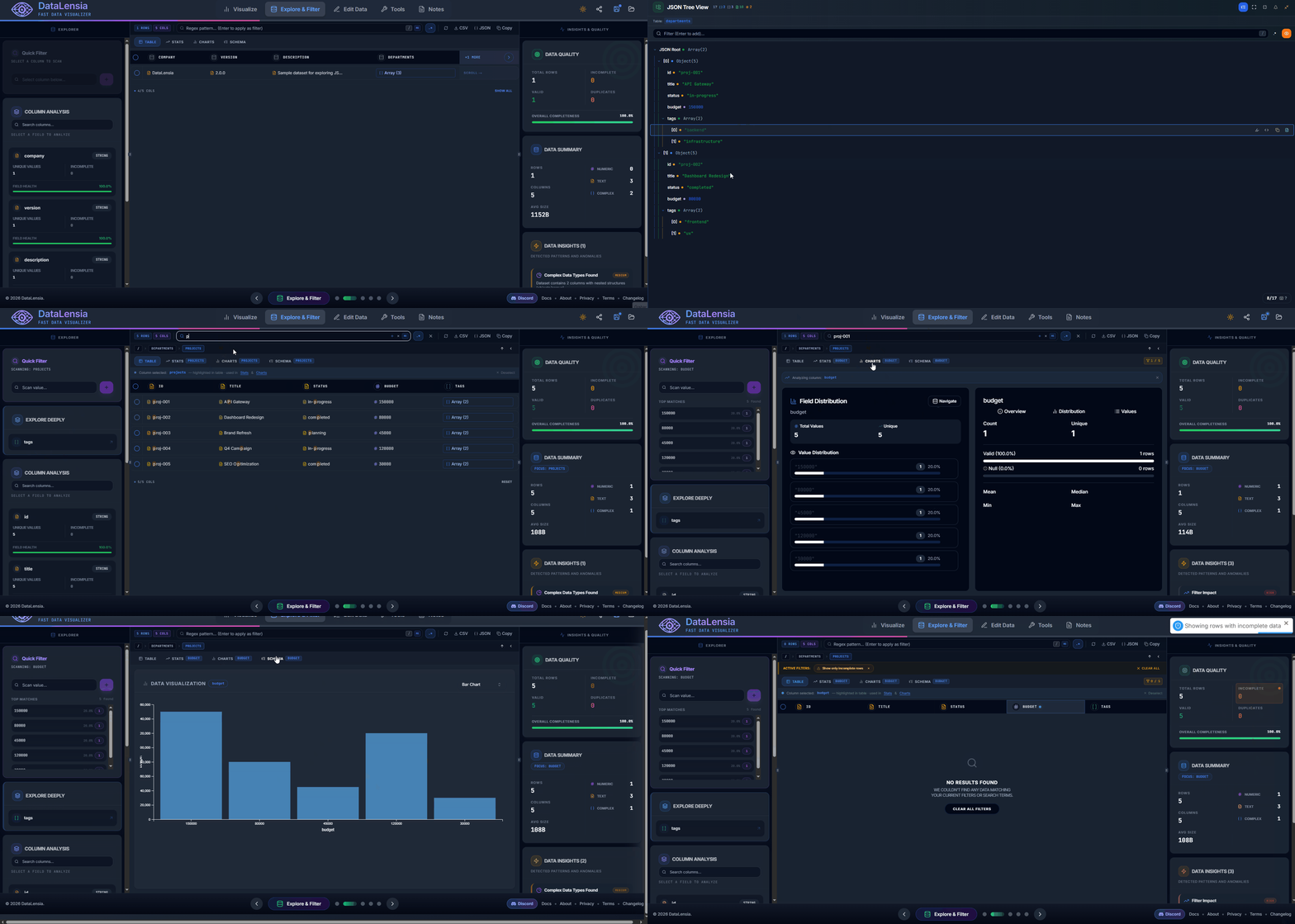
The Data Explorer provides a spreadsheet-like interface for structured JSON arrays. It is the fastest way to browse large datasets, apply filters, sort columns, and inspect individual records.
✨ Key Features
- Table View: Renders JSON arrays as sortable, paginated tables with column headers derived from object keys.
- Column Inspector: Click any column header to see type distribution, unique values, null counts, and sample values.
- Search: Full-text search across all visible rows.
- Filtering: Apply conditions per column (equals, contains, starts with, ends with, regex, gt/lt/gte/lte, is null, not null).
- Sorting: Click column headers to sort ascending/descending.
- Pagination: Browse through thousands of records without performance issues.
- Row Detail Modal: Click a row to inspect its full JSON representation.
- Export: Download filtered results as JSON or CSV.
🔍 Column Types
The Data Explorer automatically detects and badges each column's predominant data type:
| Badge | Type | Example |
|---|---|---|
# | Number | 42, 3.14 |
Abc | String | "hello" |
T/F | Boolean | true, false |
{ } | Object | {"nested": ...} |
[ ] | Array | [1, 2, 3] |
∅ | Null | null |
📅 | Date | "2025-01-15" |
⚙️ Filter Operators
| Operator | Works On | Description |
|---|---|---|
equals | All | Exact value match |
contains | String | Substring search |
starts_with | String | Prefix match |
ends_with | String | Suffix match |
regex | String | Regular expression match |
gt | Number | Greater than |
lt | Number | Less than |
gte | Number | Greater than or equal to |
lte | Number | Less than or equal to |
is_null | All | Field is null or undefined |
not_null | All | Field is not null or undefined |
🛠️ How to Use
- Navigate to the Home page.
- Upload a JSON array (or CSV/NDJSON file).
- Switch to the Explore & Filter section in the workspace carousel.
- Browse data in the table, click column headers to sort.
- Use the filter panel to narrow results.
- Export filtered results with the download button.
💡 Tips
- Large datasets: The explorer uses virtualized rendering and pagination — it handles files with 100,000+ records smoothly.
- Nested JSON: If your data has nested objects, use the Column Inspector to explore nested keys. For deeply nested JSON, use the JSON View tree instead.
- Combined workflow: Filter your data here, then switch to the Tools panel to run the comparator or transform builder on the filtered subset.
🚀 Try it now
Upload a JSON array in the Editor and navigate to Explore & Filter to see your data in tabular form.