Notes Panel
Add Markdown notes and annotations alongside your data within a workspace, with live preview and fullscreen editing.
Last updated:
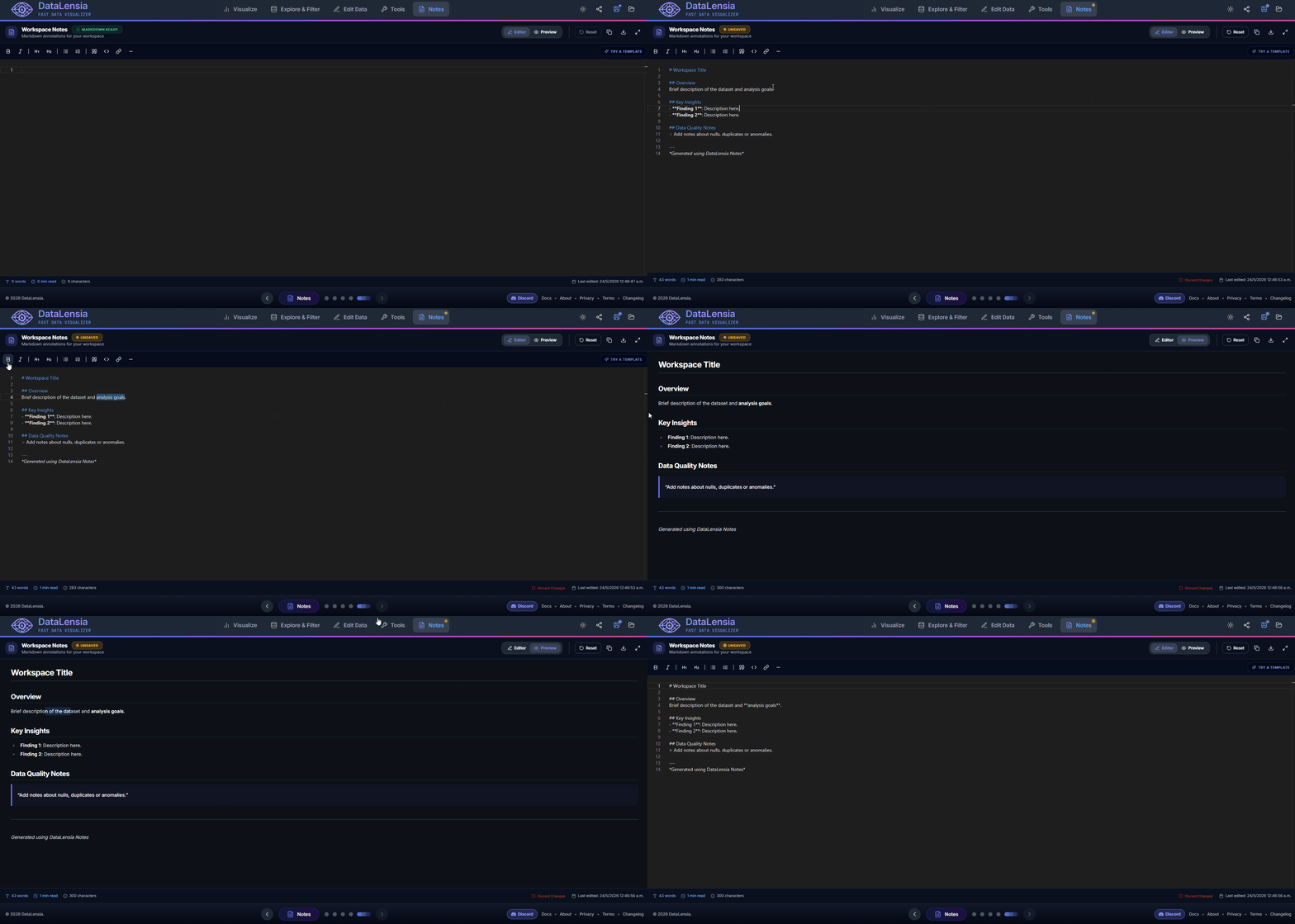
The Notes Panel is a built-in Markdown editor integrated into every workspace. Use it to document your data processing decisions, annotate datasets, or keep project notes alongside your JSON.
✨ Key Features
- Markdown Editing: Full Monaco-powered editor with syntax highlighting for Markdown.
- Live Preview: Toggle between editor and rendered preview with a single click.
- Toolbar: Quick-insert buttons for bold, italic, headings, lists, quotes, links, code blocks, and horizontal rules.
- Fullscreen Mode: Expand the notes editor to fill the viewport for distraction-free writing.
- Auto-Save: Notes are automatically persisted in the workspace state.
- Word & Character Count: Real-time statistics displayed in the status bar.
- Templates: Insert pre-built templates (data dictionary, changelog) with a single click.
📝 Supported Markdown Features
- Headings (H1–H6)
- Bold, Italic,
Strikethrough - Ordered and unordered lists
- Block quotes
- Code blocks with syntax highlighting
- Links and images
- Tables (GitHub-Flavored Markdown)
- Horizontal rules
- Task lists
🛠️ How to Use
- Open a workspace from the Editor (home page).
- Navigate to the Notes section in the workspace carousel.
- Write your notes in Markdown format.
- Toggle the Preview tab to see the rendered output.
- Your notes are auto-saved as part of the workspace.
Notes in pipelines
The same editor is available as a Notes pipeline component. Add independent annotations or connect one node's output and optionally include its data in the rendered preview, copied Markdown and .md download. Pipeline notes are saved with the pipeline and remain separate from workspace notes.
💡 Use Cases
- Data documentation: Describe the source, structure, and meaning of your dataset.
- Transformation log: Document what transformations were applied and why.
- Collaboration notes: Write context for colleagues before sharing the workspace link.
- Meeting notes: Keep project meeting notes alongside the data they reference.
🚀 Try it now
Open a workspace and navigate to the Notes panel to start documenting your data project.