JSON Schema Generator
Generate JSON Schema Draft 2020-12 from a JSON sample with configurable required fields, strictness, descriptions, examples, and format detection.
Last updated:
The JSON Schema Generator creates JSON Schema Draft 2020-12 definitions from a JSON example. It supports configurable required fields, strictness, descriptions, examples, and common string format detection.
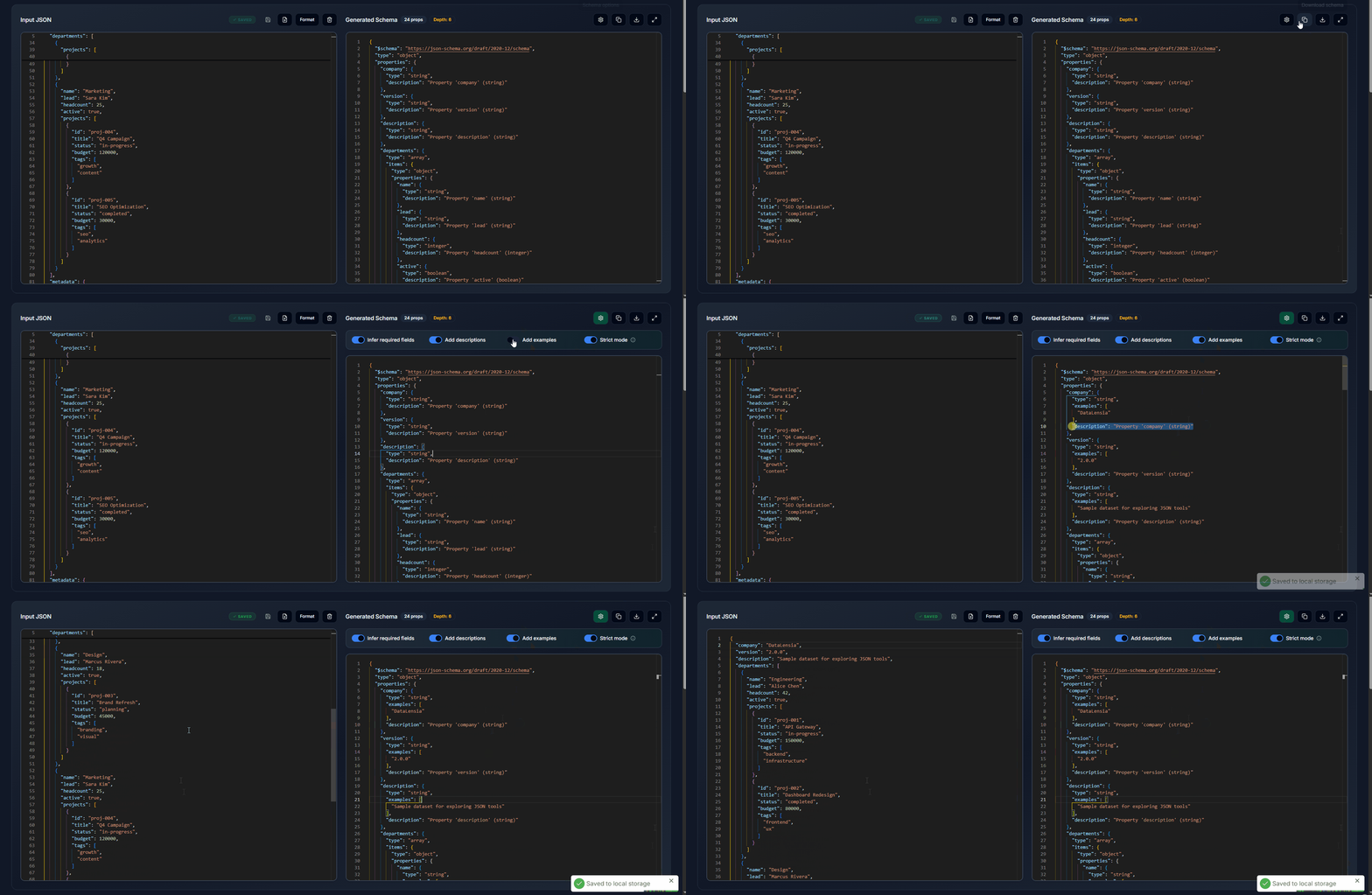
From the standalone tool, use Generate fake data in the generated schema toolbar to open the current schema in Schema Data Generator. Manual edits are included. The destination opens a temporary tab session and asks for confirmation only when explicitly replacing an existing saved standalone session. Inferred schemas describe example structure; add domain constraints as needed. Root array schemas generate complete array documents rather than being flattened into individual items.
Use Open in pipeline to build an editable example → schema → generated data workflow. The pipeline copies the input and inference settings and regenerates its schema when run; manual edits to the standalone schema output are not included. It opens in a temporary tab session; Save this pipeline replaces your saved standalone pipeline. See Pipelines for persistence and sharing details.
Standalone JSON Editor can send JSON or NDJSON through Use in → Schema Generator. Incoming data opens in a temporary tab session: input text and inference settings survive refreshes, while the saved standalone session is preserved. The notice provides explicit save and return actions, including in fullscreen.
✨ Key Features
- Deep Inference: Detects nested objects, arrays, and primitive types up to 50 levels deep.
- Required Fields Detection: Samples up to 20 array items. When merging multiple object samples, it marks fields found in every object as
required; an individual object marks only non-null fields as required. - Format Detection: Automatically identifies special string patterns:
- Email addresses →
"format": "email" - Dates (
YYYY-MM-DD) →"format": "date" - ISO timestamps →
"format": "date-time" - UUIDs →
"format": "uuid" - URLs →
"format": "uri"
- Email addresses →
- Array Unification: When an array contains multiple objects, the schema merges all observed properties into a single item schema.
- Nullable Handling: Preserves
nullvalues as a null type and combines them with other observed types usinganyOfwhen needed. - Live Preview: The schema is generated and updated in real-time as you edit the source JSON.
- Stateless Sharing: Share your source JSON and inference settings via a compressed URL. The schema is regenerated when the link opens; manual edits to the output are not included.
- Fullscreen Mode: Work in a distraction-free full-viewport environment.
⚙️ Configuration Options
The Schema Generator offers toggleable options to customize the output:
| Option | Description |
|---|---|
| Infer Required | Mark non-null fields in an individual object as required. When merging multiple object samples, require fields present in every sampled object, including nullable fields. Arrays sample at most 20 items. |
| Add Descriptions | Auto-generate human-readable description fields for each property (e.g., "Property 'email' (string)"). |
| Add Examples | Include examples arrays with sample values from the source data. |
| Strict Mode | Add "additionalProperties": false to individually inferred objects. Merging multiple object items can omit this rule; review and edit the merged schema if extra fields must be rejected. |
🛠️ How to Use
- Open the Schema Generator.
- Paste a sample JSON object or array into the left editor.
- Toggle your preferred options (Required, Descriptions, Examples, Strict).
- The schema is generated instantly in the right panel.
- Use Share (🔗) to share the input and inference settings. The recipient regenerates the schema; manual output edits are not included.
- Copy the schema or download it for use in your application.
📐 Output Format
The generated schema follows JSON Schema Draft 2020-12:
{
  "$schema": "https://json-schema.org/draft/2020-12/schema",
  "type": "object",
  "properties": {
    "name": { "type": "string", "description": "Property 'name' (string)" },
    "age": { "type": "integer", "examples": [28] }
  },
  "required": ["name", "age"],
  "additionalProperties": false
}
💡 Workflow Tips
- Generate → Validate: Create a schema from a "golden" sample, then use the Validator to check all future payloads against it.
- Generate → Document: Copy the schema into your OpenAPI/Swagger spec for instant API documentation.
- Generate → TypeScript: Use the Convert Tool to generate TypeScript types from the same data.
🗂️ Workspace Integration
When used inside a workspace (via the Tools panel), the Schema Generator auto-loads your current workspace data as input. Any changes to the workspace data will regenerate the schema automatically.
🚀 Try it now
Generate a schema for your data in the Schema Generator.