Visual ETL
Understand how DataLensia simplifies the Extract, Transform, and Load process through a visual interface.
Last updated:
ETL (Extract, Transform, Load) is the foundation of data engineering. DataLensia brings this power to your browser with a visual-first approach — no code required.
📤 Extract
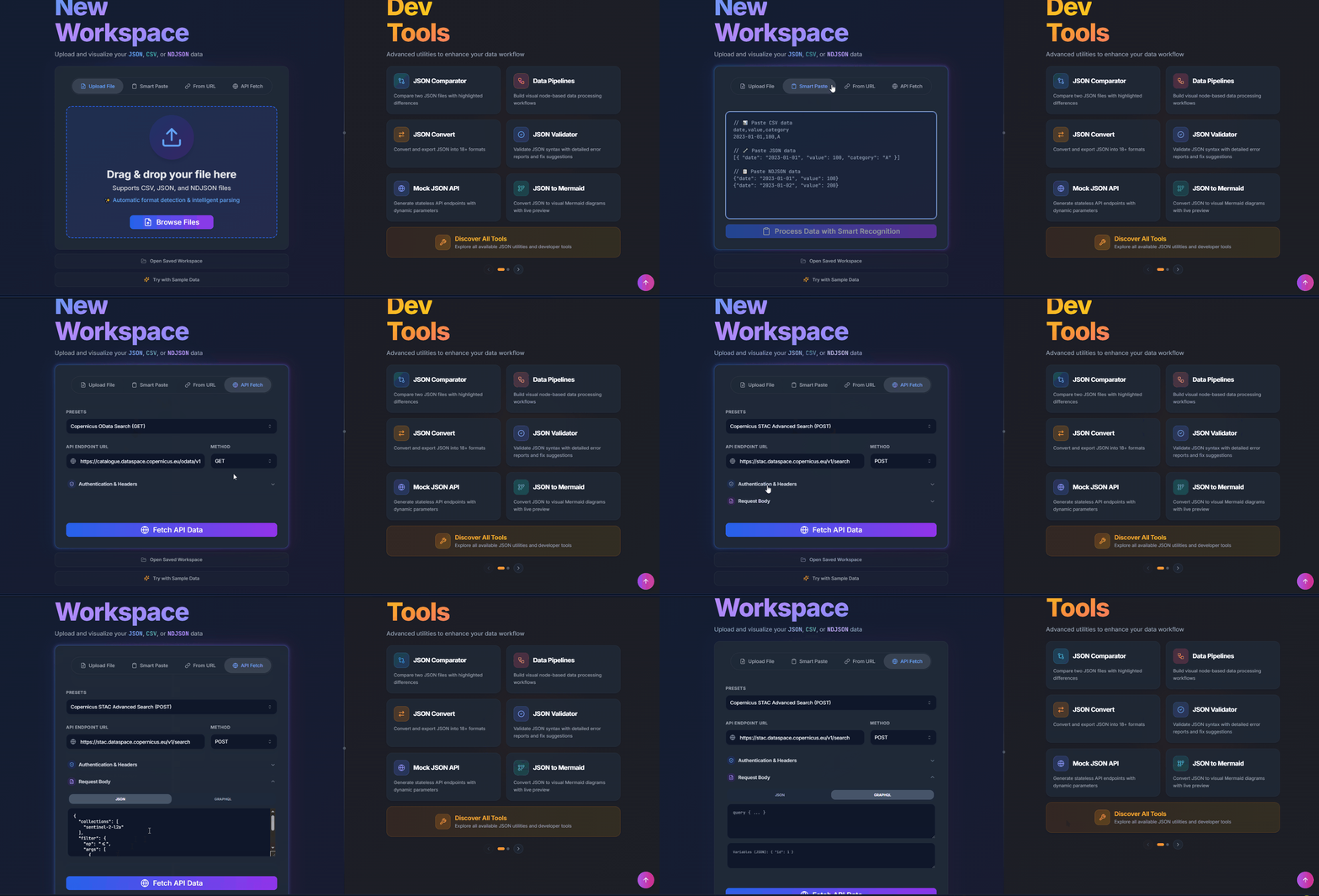
Data can be extracted from multiple sources:
- Local Files: JSON, CSV, NDJSON — drag and drop into any tool.
- Static Input: Paste raw JSON strings directly into the editor for quick processing.
- URL: Fetch data directly from a web link (HTTP/HTTPS or file URL).
- Remote APIs: Fetch data directly from REST endpoints using the API Fetch Component.
🔄 Transform
This is where the magic happens. Using the Transform Builder, you can:
- Map Fields: Rename and restructure objects visually.
- Use Drag-and-Drop: Build mappings quickly by dragging fields from your source tree into target slots.
- Cast Types: Convert strings to numbers or booleans.
- Cleanse: Trim whitespace, handle nulls, and apply regex patterns.
- See Live Preview: Preview your transformed data instantly as you change mappings and operations.
- Stay Private: Transformations run in the browser, so your raw data never needs to leave your device.
📥 Load
The final step is getting your data where it needs to go:
- Export: Download as CSV, SQL, XML, YAML, or code using the Convert Tool.
- Mock API: Turn your result into a live, shareable endpoint using the Mock API.
- Code: Generate TypeScript interfaces or JavaScript transformation logic directly from your data.
🚀 Try it now
Open the Transform Builder to start your first visual transformation workflow.