Mock API Generator
Create stateless, secure, and dynamic mock API endpoints from your JSON data with Faker.js placeholders and built-in simulation.
Last updated:
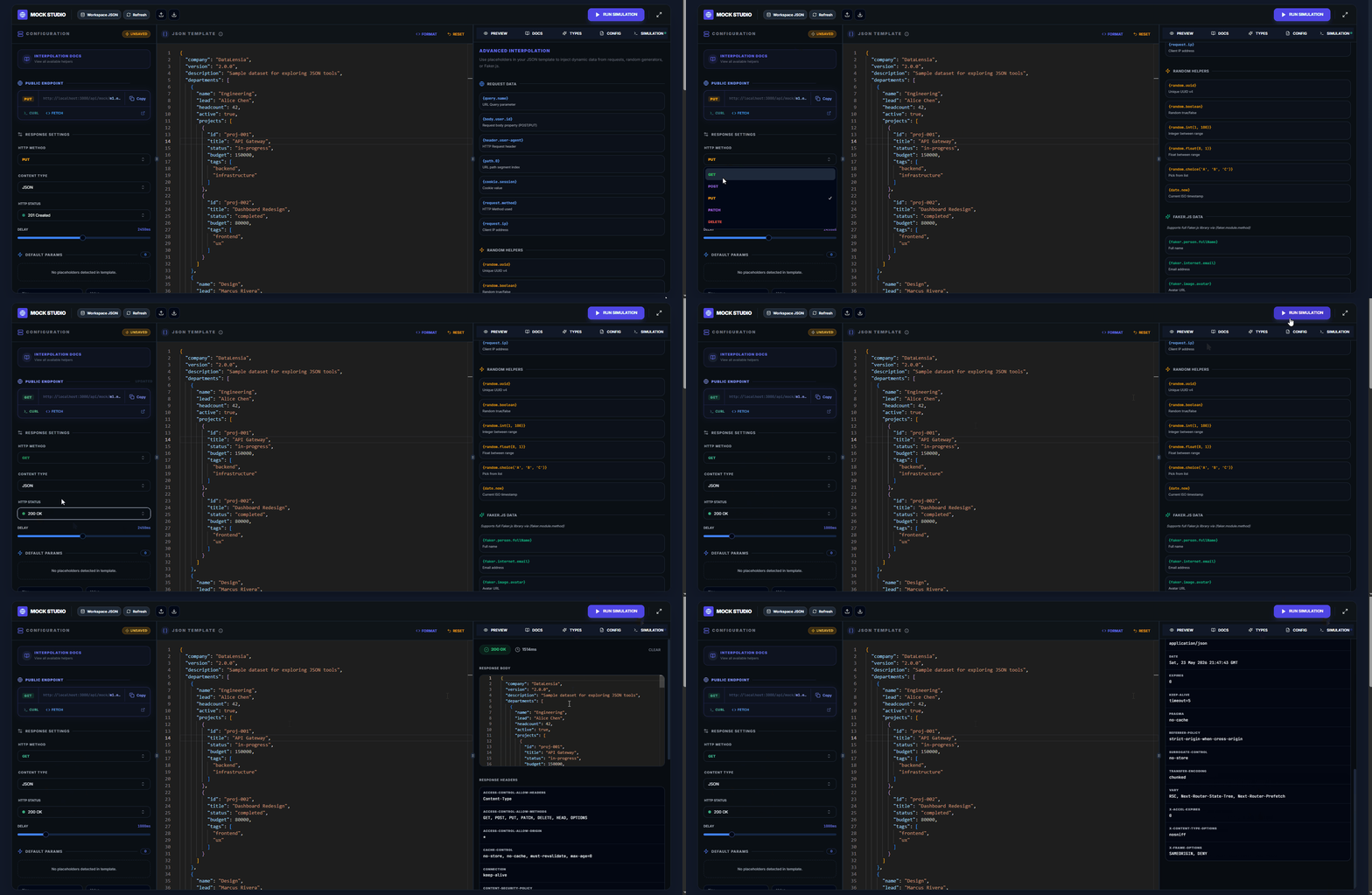
The Mock API Generator allows you to turn any JSON structure into a live, shareable REST endpoint. This is perfect for frontend developers who need to prototype against a real API without waiting for the backend.
✨ Key Features
- Stateless & Secure: Your data is encoded directly into the URL using pako compression. Nothing is stored on our servers.
- Dynamic Placeholders: Use Faker.js syntax to generate dynamic values on every request (e.g.,
{{faker.person.fullName()}}). - Custom Latency: Simulate slow network conditions with configurable delays.
- HTTP Status Codes: Test how your app handles 200, 201, 400, 401, 403, 404, 500, and 12 other status codes.
- HTTP Method Restriction: Lock the endpoint to only respond to GET, POST, PUT, PATCH, or DELETE.
- Custom Headers: Add response headers (CORS, caching, etc.).
- Path-Based Sub-Resources: Access nested keys via URL path segments.
🛠️ How to Create a Mock API
- Navigate to the Mock API Tool.
- Paste or upload your JSON payload.
- Configure your desired settings:
- Status Code: Choose from 16 common HTTP status codes.
- HTTP Method: Optionally restrict to a specific method.
- Delay: Set artificial latency (0–5000ms).
- Content-Type: Defaults to
application/json.
- Click Generate Link. Your endpoint is now live at
datalensia.com/api/mock/....
🔁 Continue in Pipelines
For a valid JSON or NDJSON response body, use Open in Pipelines to start either workflow:
- Transform and mock adds editable field mappings before the Mock Output node.
- Script and mock adds a pass-through script that you can customize.
The workflow copies the current HTTP method, status, content type, delay, response headers, default params, and interpolation template. Run the pipeline to create a URL for its latest result. Each generated URL is a snapshot; a rerun can produce a new URL, while older URLs keep their earlier response. Dynamic placeholders remain active and are resolved when a request reaches the endpoint.
Raw XML, HTML, or plain-text templates cannot be used as structured pipeline input. The temporary pipeline does not overwrite the saved standalone Mock API session.
🎲 Dynamic Values
Use double curly braces to embed Faker.js functions:
{
  "id": "{{faker.string.uuid()}}",
  "name": "{{faker.person.fullName()}}",
  "email": "{{faker.internet.email()}}",
  "avatar": "{{faker.image.avatar()}}",
  "registeredAt": "{{faker.date.recent()}}"
}
You can also reference query parameters and request body fields:
{{query.page}}— injects the?page=Xquery parameter.{{body.username}}— injects a field from the request body.{{path.0}}— injects the first path segment after the data URL.
🧪 Built-In Simulation Panel
The Simulation tab lets you test your endpoint without leaving DataLensia:
- Send GET/POST/PUT/DELETE requests.
- View response headers, body, and timing.
- Verify status codes and delays work correctly.
📄 Auto-Generated Documentation
The Docs tab automatically generates documentation for your mock endpoint including:
- Full endpoint URL with method badge.
- Response format description.
- Example
curlcommand.
📝 TypeScript Types
The Types tab generates TypeScript interfaces from your response JSON, ready to copy into your frontend code.
🔗 Path-Based Access
If your mock data is:
{"users": [{"id": 1, "name": "Alice"}], "meta": {"total": 1}}
You can access:
.../api/mock/<data>/users→ returns theusersarray.../api/mock/<data>/users/0→ returns the first user.../api/mock/<data>/meta→ returns the meta object
🔗 Example Usage
curl https://datalensia.com/api/mock/m1.eJy...
The response will be the JSON you provided, served with the correct application/json headers.
🛡️ Privacy Note
Because the data is stored in the URL path (using pako compression + Base64url encoding), there is a practical limit of ~64KB for the data payload. For larger datasets, use the tools locally rather than generating a shareable link.