JSON Convert
Export your JSON data into 20+ different formats across 6 categories — data, config, database, API, programming, and documentation.
Last updated:
The JSON Convert tool is a universal data translator. Whether you need to move data into a spreadsheet, a database, or another programming language, DataLensia has you covered with 20+ output formats.
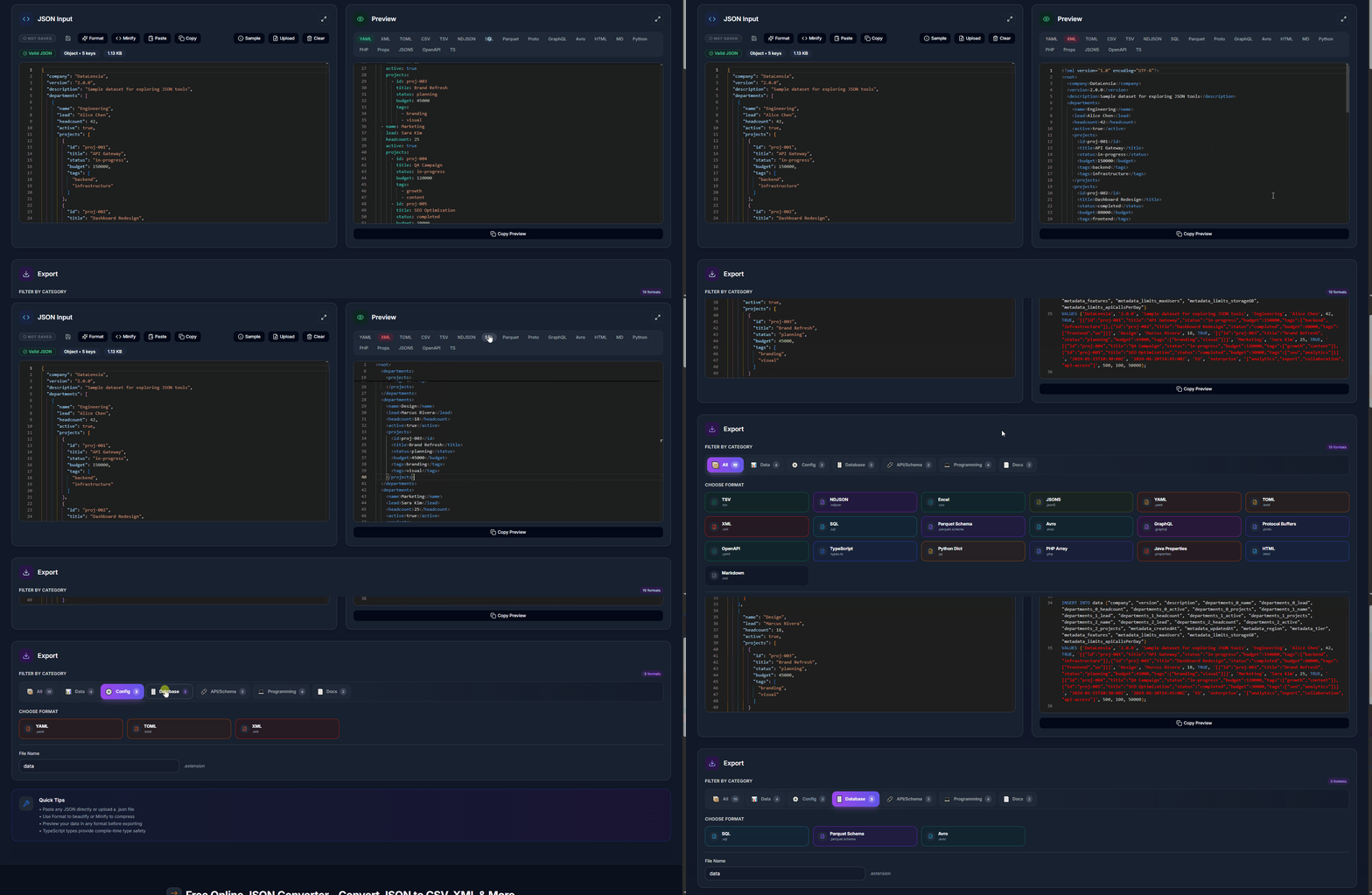
🔄 Supported Formats (20+)
📊 Data Formats
| Format | Description |
|---|---|
| TSV | Tab-separated values |
| NDJSON | Newline-delimited JSON for streaming |
| Excel | Excel-compatible CSV with UTF-8 BOM |
| JSON5 | JSON with comments and trailing commas |
⚙️ Config Formats
| Format | Description |
|---|---|
| YAML | Human-readable data serialization |
| TOML | Tom's Obvious Minimal Language |
| XML | Extensible Markup Language |
🗄️ Database Formats
| Format | Description |
|---|---|
| SQL | SQL INSERT statements |
| Parquet Schema | Apache Parquet schema for Big Data |
| Avro | Apache Avro schema for streaming |
🔗 API/Schema Formats
| Format | Description |
|---|---|
| GraphQL | GraphQL schema definition |
| Protocol Buffers | Google Protobuf .proto files |
| OpenAPI | OpenAPI/Swagger 3.0 specification |
💻 Programming Formats
| Format | Description |
|---|---|
| TypeScript | TypeScript type definitions |
| Python Dict | Python dictionary syntax |
| PHP Array | PHP array syntax |
| Java Properties | .properties file format |
📄 Documentation Formats
| Format | Description |
|---|---|
| HTML | HTML table with styling |
| Markdown | Markdown table format |
✨ Features
- Stateless Sharing: Share your JSON data and selected conversion format instantly via a compressed URL.
- Category Filtering: Organize 20+ formats into logical categories (All, Data, Config, Database, API/Schema, Programming, Docs).
- Intelligent Mapping: Automatically flatten nested JSON structures for tabular formats like TSV or Excel.
- Side-by-Side Preview: Compare your source JSON with the converted output in real-time.
🧠 Intelligent Mapping
When converting to tabular formats like TSV or Excel, DataLensia automatically flattens nested JSON structures to ensure no data is lost. Nested keys become dot-notation column headers.
🛠️ How to Use
- Open the Convert Tool.
- Paste your JSON into the editor or upload a file.
- Browse formats by category or select directly from the grid.
- Preview the converted output in real-time.
- Use the Share (🔗) button to send the conversion state to a colleague.
- Click Copy or Download to get your result.
🔄 Fullscreen Mode
For complex conversions, toggle fullscreen mode to get a larger editing area and side-by-side preview of the input JSON and output format.
🚀 Pro Tip
You can also access conversion features directly from the Transform Builder once your mapping is complete — a Convert panel is built into the Transform Builder interface.
Data from JSON Editor
Use Use in → Converter in standalone JSON Editor to convert the current JSON or NDJSON without copying and pasting. Converter opens a temporary tab session and preserves its saved standalone session. Input edits and the selected output format survive refreshes; replacing the saved standalone session requires an explicit save from the transfer notice.